Open Nav



A well-prepared Bill of Materials is the foundation of every successful PCB assembly project. When you're outsourcing to a turnkey assembly provider, your BOM isn't just a list of parts — it's the primary communication tool that tells your manufacturer exactly what to build, how to build it, and what quality standards to meet. Get it wrong, and you face delays, cost overruns, and boards that don't match your intentions. Get it right, and the entire assembly process runs smoothly.
If you've ever received an assembly quote that didn't match your expectations, or worse, had a manufacturer build boards with the wrong components, the problem almost always traces back to the BOM. In this guide, I'll walk you through every element of a perfect turnkey BOM, from basic structure to advanced formatting details that experienced engineers often overlook.
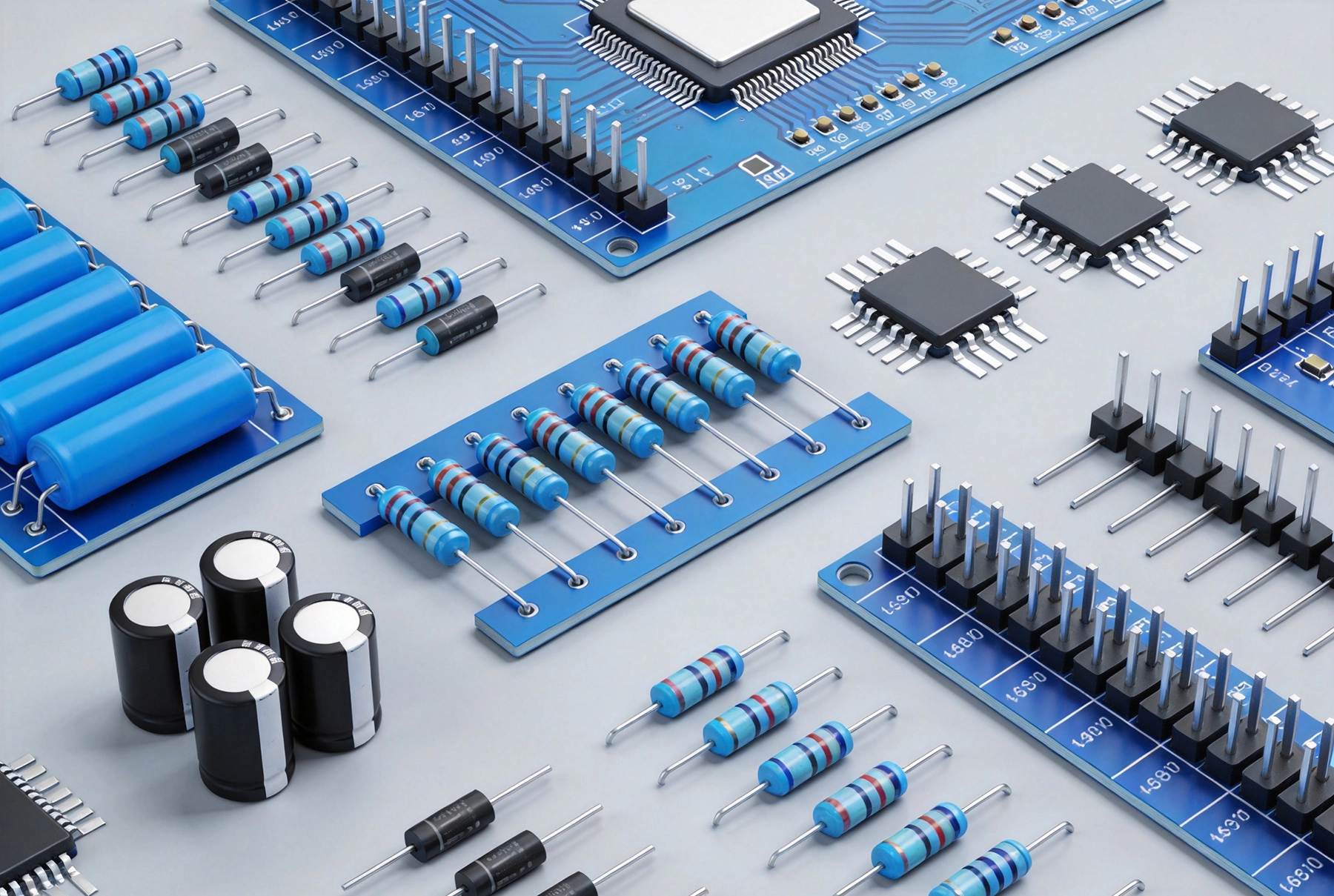
Before diving into specifics, let's establish what makes a turnkey BOM different from internal engineering documentation. In a turnkey arrangement, your assembly provider sources components, builds the boards, and delivers finished products — often with testing included. Your BOM needs to support all of those functions.
This means your BOM must be detailed enough for procurement, clear enough for production engineering, and complete enough that no decisions are left to guesswork. The manufacturer should be able to take your BOM and a set of Gerber files and produce exactly what you intended without asking follow-up questions.
A turnkey-ready BOM isn't just a column of part numbers. Each row needs specific information that serves different stakeholders in the manufacturing process. Here's what every column should contain and why it matters.
The reference designator column tells production exactly where each component goes on the board. These should follow standard conventions: R for resistors, C for capacitors, U or IC for integrated circuits, L for inductors, D for diodes. The reference designator must match exactly what's printed on your silkscreen and what's in your CAD netlist.
A common mistake is using reference designators inconsistently between the BOM and the board itself. If your schematic shows R1 through R10 but your board silkscreen labels them R01 through R10, you're creating ambiguity that leads to assembly errors. Resolve these discrepancies before submitting your BOM.
Be explicit about quantities. For turnkey assembly, you typically need to specify both the quantity per board (qty per assemb) and the total number of boards (number of assemblies). These are different numbers, and confusing them is surprisingly common.
Also specify whether quantities are per panel or per individual board if you're having panels built. Most turnkey providers quote per finished good (individual board), but your assembly instructions should be unambiguous on this point.
Always specify manufacturer and manufacturer part number. This is non-negotiable for turnkey work. Generic descriptions like "0.1uF 50V ceramic capacitor" are procurement nightmares — there are hundreds of valid options, and your manufacturer shouldn't have to make that choice.
Include the exact part number your preferred distributor stocks. If you're open to substitutes (and for turnkey work, you usually should be), specify acceptable alternatives in a separate column or documentation. Without explicit substitute guidance, manufacturers often default to the most expensive option to avoid risk.
While manufacturer part numbers handle procurement, the value column serves engineering verification. A capacitor might be listed as "0.1uF" in the value column while the manufacturer part number points to a specific Murata or TDK component. Both exist for different purposes.
Package type matters more than most engineers realize. An 0402 resistor and a 0603 resistor might have the same value but completely different pick-and-place requirements. Specify package size explicitly: 0402, 0603, 0805, QFP-64, BGA-256, and so on. This information goes in its own column or as part of the description field.
The description field should provide enough detail for a knowledgeable engineer to understand the component without cross-referencing datasheets. For simple passives, a few words suffice: "10K ohm 1% 0402 resistor" or "10uF 16V X5R 0805 capacitor."
For complex ICs, include the full part number in the description even if it's also in the manufacturer part number column. Descriptions should mention functional type: "Microcontroller ARM Cortex-M4 100LQFP" rather than just the marketing part number that might change with revision.
If a component has second-source options, list them explicitly. Global supply chain disruptions have taught everyone that single-source components create vulnerability. A good alternate part column tells your manufacturer "use X if Y is unavailable, but only after checking with me first."
Be specific about substitution rules. Some components are functionally equivalent across manufacturers, while others have subtle differences in temperature range, pinout, or package tolerances. Make clear where flexibility exists and where it doesn't.
BOM format issues cause more assembly problems than most engineers expect. Here are the specific errors that lead to costly re-spins or production delays.
Mixing text formats creates parsing problems. Pick one format for reference designators — either "R1,R2,R3" or "R1-R3" or "R1,R2,R3,R4,R5" — and use it consistently. The same applies to quantities, date codes, and any numeric data. Your manufacturer likely imports BOMs into their ERP system, and inconsistent formatting causes import failures that might not be caught until production.
Decimal notation matters. US and European conventions differ: 0.1 versus ,1 for the same value. If your BOM spans multiple engineering tools or geographic regions, audit for these inconsistencies before submission.
Every component on your board should appear exactly once in your BOM. Missing components happen when engineers add parts to the schematic late in the design cycle and forget to update the BOM export. Duplicate entries happen when the same part appears with different descriptions.
Run a consistency check: the number of unique reference designators in your BOM should match the number of unique designators in your CAD tool's board file. Any discrepancy needs investigation before you submit.
Submitting a BOM with obsolete components is a waste of everyone's time. Before finalizing your BOM, verify availability at your target distributors. Mouser, DigiKey, Arrow, and Avnet all provide programmatic access to stock status. If a critical component shows zero stock with no near-term availability, you need to find an alternate before assembly starts.
For long production runs, consider building a buffer stock of critical components or specifying alternatives that have longer product lifecycle designations. Automotive-grade and industrial-grade parts typically have longer availability windows than commercial-temperature equivalents.
Precision matters for some components and not for others. A 10K ohm resistor at 5% tolerance works fine for most pull-up applications but fails for current sensing. Specify tolerances where they matter to your circuit function, and don't burden the BOM with unnecessary precision specs where they don't.
This extends to voltage ratings, temperature coefficients, and other performance parameters. If your circuit depends on specific characteristics, document them. If it doesn't, leaving some flexibility actually helps procurement by allowing substitutes that meet base specs without requiring exact matches.
Complex products often have multiple PCBs connected by cables or connectors. Each board needs its own BOM, and the overall product needs a top-level assembly BOM. Getting this hierarchy right prevents confusion during production and test.
For multi-board products, create a top-level BOM that lists each sub-assembly with quantities. This gives your manufacturer the complete picture: they're building 100 units of the complete system, and each system contains one main board, one display board, and so forth. The sub-assembly BOMs then detail each individual board's components.
Cross-reference documentation should make clear which connectors and cables connect which boards. If a flex cable assembly is ordered separately from the main PCB, specify this in your documentation to avoid duplicate procurement or missing parts.
Some products ship in multiple variants — different memory sizes, regional RF certifications, feature configurations. Your BOM structure should accommodate this variation without requiring completely separate documentation for each variant.
One approach is a base BOM plus variant-specific option lists. The base BOM covers components common to all variants, while option lists specify which additional components to include for each variant. This reduces documentation maintenance and makes it clear which components are shared versus variant-specific.
Another approach uses BOM configuration tables that specify include/exclude flags for each component per variant. This scales better for products with many possible configurations but requires more sophisticated ERP integration on the manufacturer side.
A BOM is never truly final until your manufacturer reviews it against their capabilities. Design for Manufacturability (DFM) feedback often reveals BOM issues that aren't apparent from engineering documents alone.
Expect your turnkey provider to flag components that are difficult to source, packages that don't match their equipment capabilities, or specifications that are overly restrictive compared to what your circuit actually requires. This feedback is valuable — incorporate it early in the design cycle rather than after you've locked your schematic.
If your manufacturer recommends a substitute component, evaluate it on its merits. Sometimes substitutes have better availability or lower cost with equivalent performance. Sometimes they have subtle differences that matter for your specific application. Make the call based on engineering judgment, not惯性.
Your BOM needs to track changes just like your schematic and board files. Include a revision column that increments with each significant change, and maintain a change log that explains what changed and why. This discipline pays dividends during manufacturing when questions arise about why a particular component appears in a specific revision.
Version control extends to your CAD source files as well. Your BOM should reference specific revisions of your schematic and board files. If you submit a BOM revision with new components but board files from an older revision, you're creating mismatch risk that leads to wrong boards being built.
Archive previous BOM revisions with clear retention policies. When a board revision goes into production, that BOM revision should be preserved and not modified. Changes belong to new revisions, not retroactive edits to production documentation.
Turnkey assembly shifts some supply chain responsibility to your manufacturer, but you still own the engineering decisions that affect component selection. Here's how to build BOMs that hold up under real-world supply pressure.
For critical components, maintain at least two acceptable manufacturer sources. This doesn't mean specifying inferior parts just to have alternatives — it means designing your circuit to accept components from multiple qualified manufacturers when specifications allow.
Monitor lifecycle status of components in your BOM. Parts that are NRND (Not Recommended for New Designs) or obsolete create future re-design burden. Choose parts with multi-year availability projections, especially for products with long lifecycle expectations like industrial or medical equipment.
Consider buffer stock agreements for long-lead or single-source components. Some manufacturers offer long-term stocking programs where they purchase components upfront and hold them for scheduled production. This approach trades carrying cost for supply certainty.
A great turnkey BOM is comprehensive, accurate, and unambiguous. Every field serves a purpose: reference designators for placement, manufacturer part numbers for procurement, values for verification, and descriptions for clarity.
Format matters as much as content. Consistent formatting prevents import errors, and clear revision control prevents manufacturing confusion. Treat your BOM as a manufacturing contract — specific, binding, and reviewed by all stakeholders before production begins.
Build in time for DFM feedback before locking your design. The best BOMs evolve through collaboration between design engineering and manufacturing engineering. That collaboration catches problems early when they're cheap to fix, rather than after boards are built and doesn't work.
Microsoft Excel remains the most widely accepted format for turnkey assembly BOMs. Use standard columns with clear headers, avoid merged cells in data rows, and include all relevant fields even if some columns are empty for certain components. CSV format works for automated import but loses formatting context, so use Excel when possible.
Unless your turnkey agreement specifically requires it, omit pricing from your BOM. Pricing is negotiated separately and varies by volume, spot market conditions, and manufacturer relationships. Including prices can also create friction if actual costs differ from expectations. Focus the BOM on engineering specifications.
For custom components like flex cables, specify them with detailed descriptions including material, dimensions, termination specifications, and any special assembly requirements. Include drawings or specifications as attachments. If a component requires a Statement of Manufacture or Certificate of Conformance, note this in your documentation.
If you're uncertain about specific manufacturer part numbers, provide detailed specifications (value, tolerance, package, voltage rating, temperature range) and indicate that alternatives are acceptable. Be as specific as possible — a component described only as "10K resistor" without package or tolerance information is too vague for procurement.
Update your BOM whenever engineering changes occur, and maintain clear revision control. For products in production, each BOM revision should be documented with change rationale. Don't modify production BOMs retroactively — changes belong to new revisions with appropriate change control processes.
Taking BOM preparation seriously is one of the highest-leverage activities in product development. The time invested in creating a complete, accurate BOM pays back many times over in smooth manufacturing, faster assembly, and fewer field failures. Your turnkey provider is a partner — give them the information they need to make your product a success.
How Long Does Prototype PCB Assembly Usually Take?July/09/2026
Accelerating Time-to-Market with Fast Prototype PCB AssemblyJune/10/2026
How We Source Hard-to-Find Components for Your PCBA Projects?July/07/2026

What is Low Volume PCB Assembly?May/18/2026
Why Your Prototype PCB Assembly Failed: A Troubleshooting Guide?September/24/2026